30-Day Digital Declutter Challenge — How to Reduce Screen Time and Take Back Your Attention
The average person unlocks their phone 96 times a day. Most of those unlocks are not intentional — they're reflexes. You pick up your phone to check the time and 20 minutes later you're watching a video you didn't choose to watch.
A digital declutter challenge is not about deleting social media forever or becoming a minimalist. It's about making your digital environment intentional rather than reflexive. Thirty days is enough time to break automatic patterns and build deliberate habits around how you use technology.
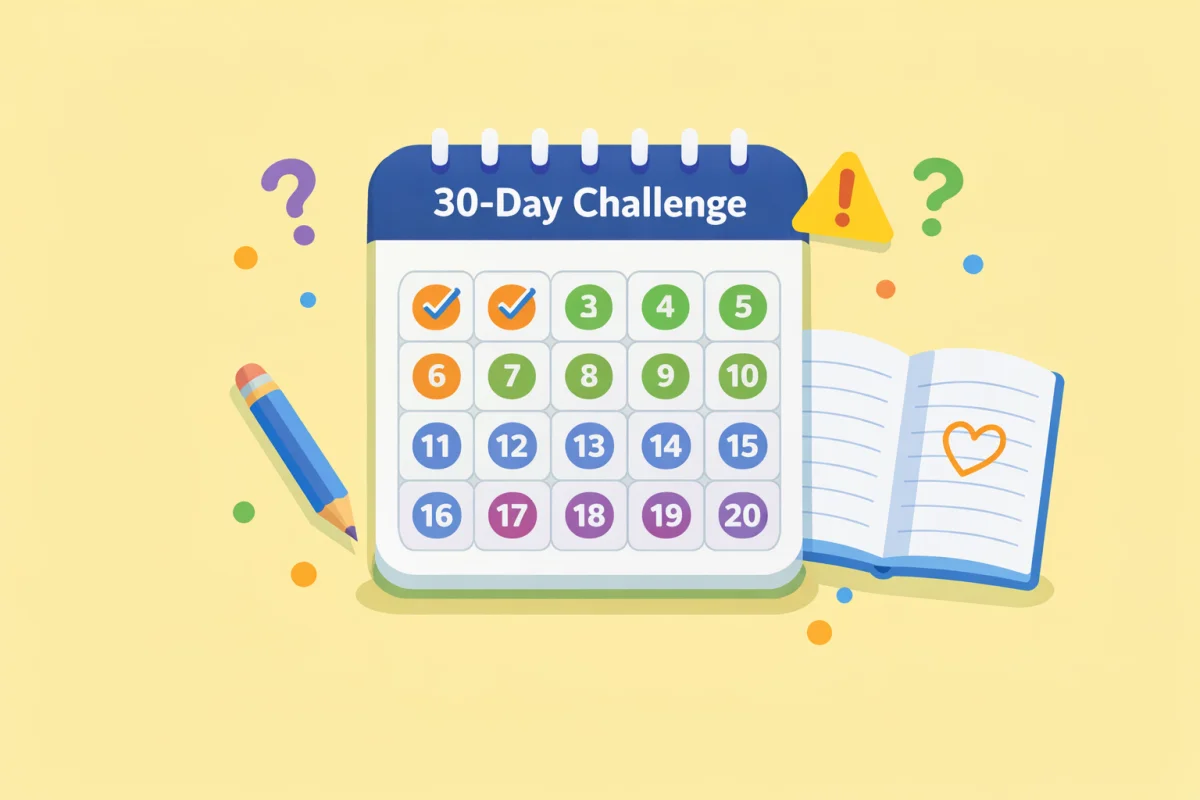
Use the 30-Day Challenge Tracker to generate a printable tracker for this challenge. Keeping it visible — on your desk or on the wall — creates the visual accountability that makes this type of challenge stick.
Why Screen Time Is Harder to Control Than Other Habits
Quitting sugar or waking up earlier is hard, but the obstacles are physical. Digital habits are different because the apps are designed to resist change.
Social media platforms, news apps, and recommendation algorithms are optimized for engagement, not wellbeing. The variable reward structure — sometimes you open Instagram and see something interesting, sometimes it's nothing — is the same mechanism that makes slot machines compelling. The notification system creates artificial urgency. The infinite scroll removes natural stopping points.
This isn't a moral failing. It's a design problem. The 30-day challenge works by systematically changing your environment — your phone settings, your notification defaults, your usage patterns — rather than relying on willpower to fight a well-funded opponent.
What You'll Actually Do: A Four-Week Structure
Week 1: Audit and Remove
The first week is about understanding your current usage and removing the easiest sources of friction.
Day 1: Check your screen time data. On iPhone: Settings → Screen Time. On Android: Settings → Digital Wellbeing. Write down your daily average and your top three apps by time. Don't judge it — just record it.
Day 2: Delete one app you haven't used in 30+ days. Just one. This builds the habit of deletion without requiring big decisions.
Day 3: Turn off all non-essential notifications. Keep calls, messages from real people, and calendar alerts. Turn off every social app notification, most news apps, and all "badge" notifications that show unread counts.
Day 4: Move social apps off your home screen. Put them in a folder on a second page, or remove them entirely and use the browser version instead. The extra friction reduces impulsive opening.
Day 5: Set your phone to grayscale for one hour. Most phones: Settings → Accessibility → Display Accommodations. Color is part of what makes apps visually compelling — grayscale makes the phone noticeably less appealing. Notice how much less you want to pick it up.
Day 6: Identify your highest-risk moments: the first 10 minutes after waking up, the last 10 minutes before bed, any time you're waiting in a queue. These are where most mindless scrolling happens.
Day 7: Establish one phone-free zone in your home. The bedroom is the most impactful — the phone on the nightstand is a known disruptor of both sleep onset and morning mood. A physical charging station in the kitchen or hallway is the standard replacement.
Week 2: Replace and Redirect
Week 2 addresses what happens in the gap when you reach for your phone and then stop yourself. That gap needs to be filled with something.
Days 8–10: For three days, every time you pick up your phone reflexively, put it down and do something physical for 60 seconds: stand up, get water, do 10 push-ups, look out a window. This isn't about permanent replacement — it's about interrupting the automatic behavior.
Days 11–12: Set a daily screen time limit for your top time-consuming app. Set it 20% lower than your current average. iPhone and Android both support per-app limits. Don't aim for zero — aim for 20% less.
Days 13–14: Designate two 30-minute "catch-up" windows per day for checking news and social apps: once mid-morning and once in the early evening. Outside those windows, the apps stay closed. This doesn't reduce your actual consumption much at first — it restructures when you consume.
Week 3: Audit Your Email and Messaging
Email and messaging are often overlooked in screen time discussions, but they contribute significantly to fragmented attention.
Days 15–16: Unsubscribe from every newsletter you didn't read last week. Use your inbox search: filter by emails marked as read vs unread. Any newsletter with an unread rate over 80% is noise.
Day 17: Turn off email notifications on your phone. Check email on a schedule (twice a day is standard in most recommendations) rather than reactively.
Days 18–20: Set your messaging apps to "silent" or use scheduled summaries for group chats. Most group chat messages do not require a response within the next hour. Stop treating them like they do.
Days 21: Do a full review of group chats. Leave any group that you habitually ignore or mute permanently. The social obligation to stay in groups you never actively participate in is a low-grade attention tax.
Week 4: Reclaim and Evaluate
Week 4 is about identifying what genuinely adds value and building sustainable defaults.
Days 22–24: For three days, keep a log of every intentional vs unintentional digital interaction. Intentional: you decided to open something specific for a reason. Unintentional: you opened something because you were bored or it was there. Most people find the split is about 30/70 unintentional.
Days 25–27: Delete or disable any app where you can't remember the last time you used it intentionally. If you need it back, you can reinstall it. The friction of reinstalling is enough to prevent most impulsive returns.
Days 28–29: Design your "post-challenge" defaults. What notifications do you actually want? Which apps do you want to keep on your home screen? What are your two daily catch-up windows? Write this down as a simple policy.
Day 30: Compare your screen time data to Day 1. Most people see a 25–40% reduction in daily screen time by the end of a structured challenge, with the biggest drops in social and entertainment apps.
What You're Likely to Notice
After week 1: Your phone feels slightly less urgent. The silence from turned-off notifications is initially uncomfortable, then noticeably calming.
After week 2: You'll start noticing what you do instead of reaching for your phone. Many people rediscover reading, listening to music, or just sitting with their thoughts without filling the gap.
After week 3: Email and messaging start feeling more like something you choose to do rather than something that happens to you. The response latency anxiety — the feeling that you need to reply immediately — typically fades.
After week 4: Intentional use feels different from habitual use. You'll be able to notice when you're using your phone on purpose versus when you're just seeking stimulation.
Setting Up Your Tracker
The 30-Day Challenge Tracker generates a printable sheet with 30 checkboxes. Print it and put it somewhere you'll see it every day — your desk, your bathroom mirror, or your coffee maker.
The daily action for this challenge is simple to track: did you complete the day's designated action? Check it off. The cumulative visual record of checked boxes creates genuine motivation to continue. Missing one day is fine. Seeing a streak of ten checked boxes makes missing the next one feel like a loss — and that's the mechanism you want working in your favor.
Each week's actions build on the previous ones. By the end of week 4, you'll have:
- Removed apps and notifications that were consuming attention passively
- Established specific times for checking social and email
- Replaced reflexive phone use with conscious choices
- Built a set of defaults that require maintenance, not willpower, to sustain